


Button Function- Creating Colorful and Interactive Buttons in CMD
The command prompt, or CMD, has been a staple in...
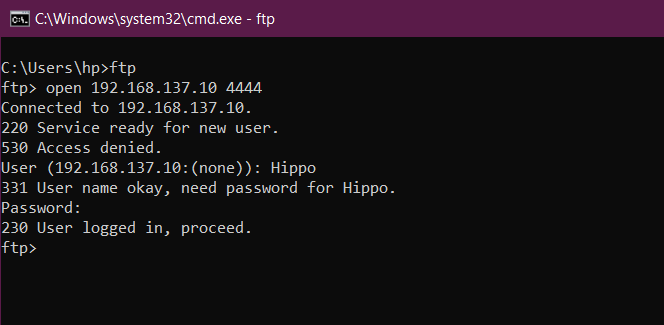
File Sharing Made Easy: FTP Command
You must have shared Images of your trip, songs or...
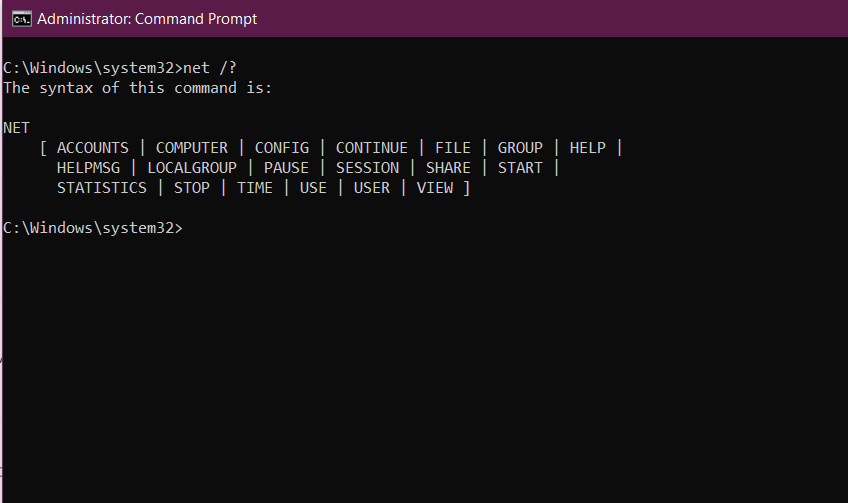
Your Windows Networking Toolbox: The ‘net’ Command
In Windows CMD utilities, the ‘net’ command stands as a...
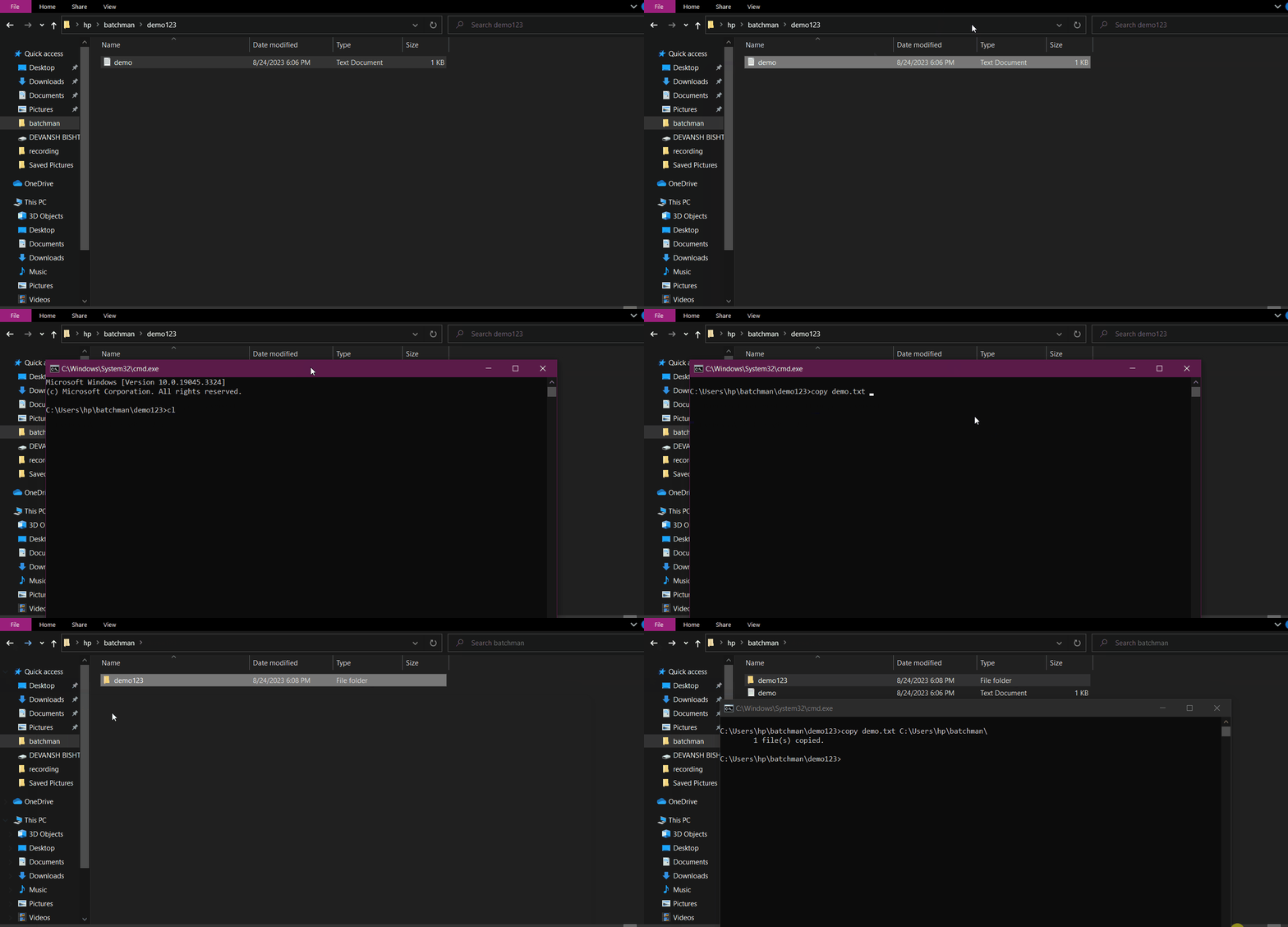
Simplifying File Transfers: Copy Command
Copying files might seem like a basic task, but the...
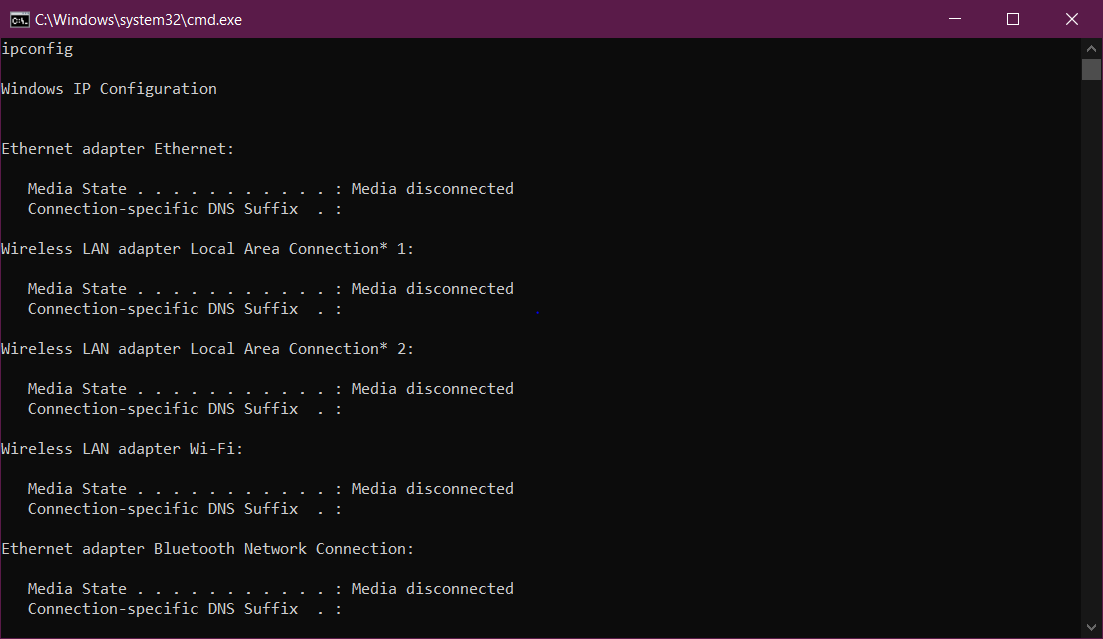
IPCONFIG: Navigating Networks with CMD
In the digital age, connectivity is paramount, and understanding the...
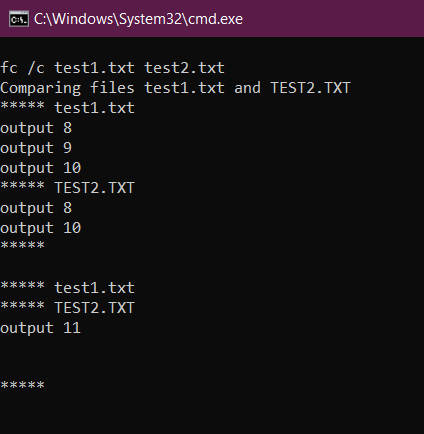
FC Command: Comparing Files in Windows
The fc command, short for “File Compare,” is a command-line...
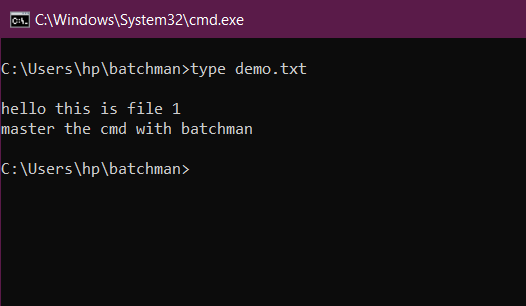
Type Command Mastery: Effortless Text File Interaction in Windows
Imagine a scenario where you want to view the contents...
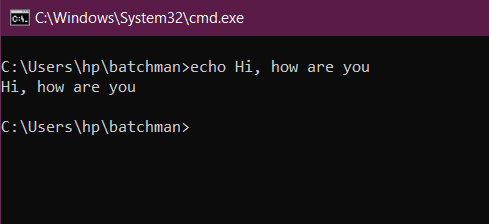
Exploring the Power of the Echo Command in Command Prompt
In the world of command-line interfaces, the echo command stands...

Enhancing CMD Scripting Capabilities: Exploring ‘setlocal enabledelayedexpansion’
Picture a scenario where variables in your CMD scripts could...
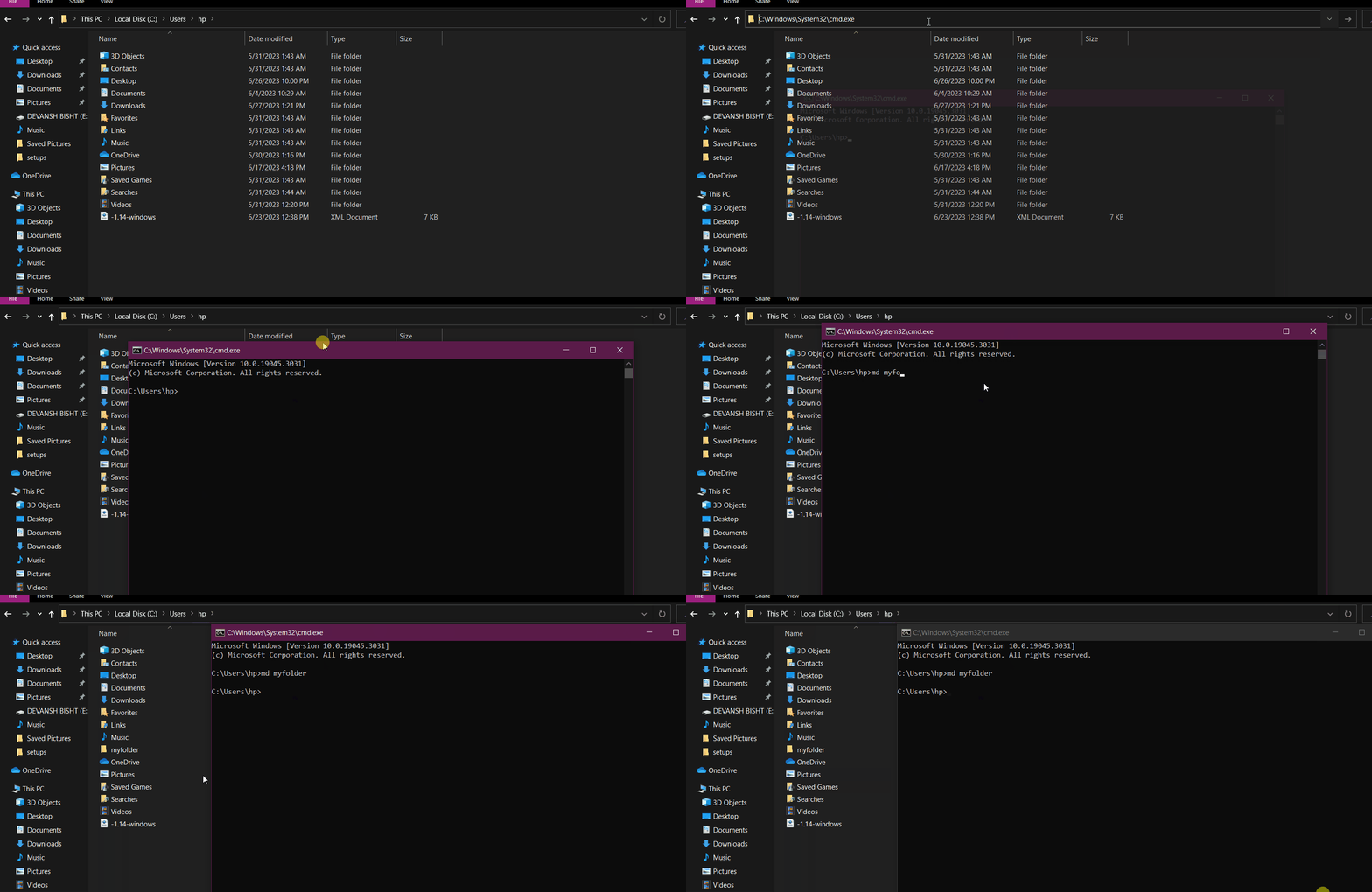
Mastering the MD Command: A Guide to Creating Directories on the Command Line
The command-line interface (CLI) provides powerful tools for managing files...
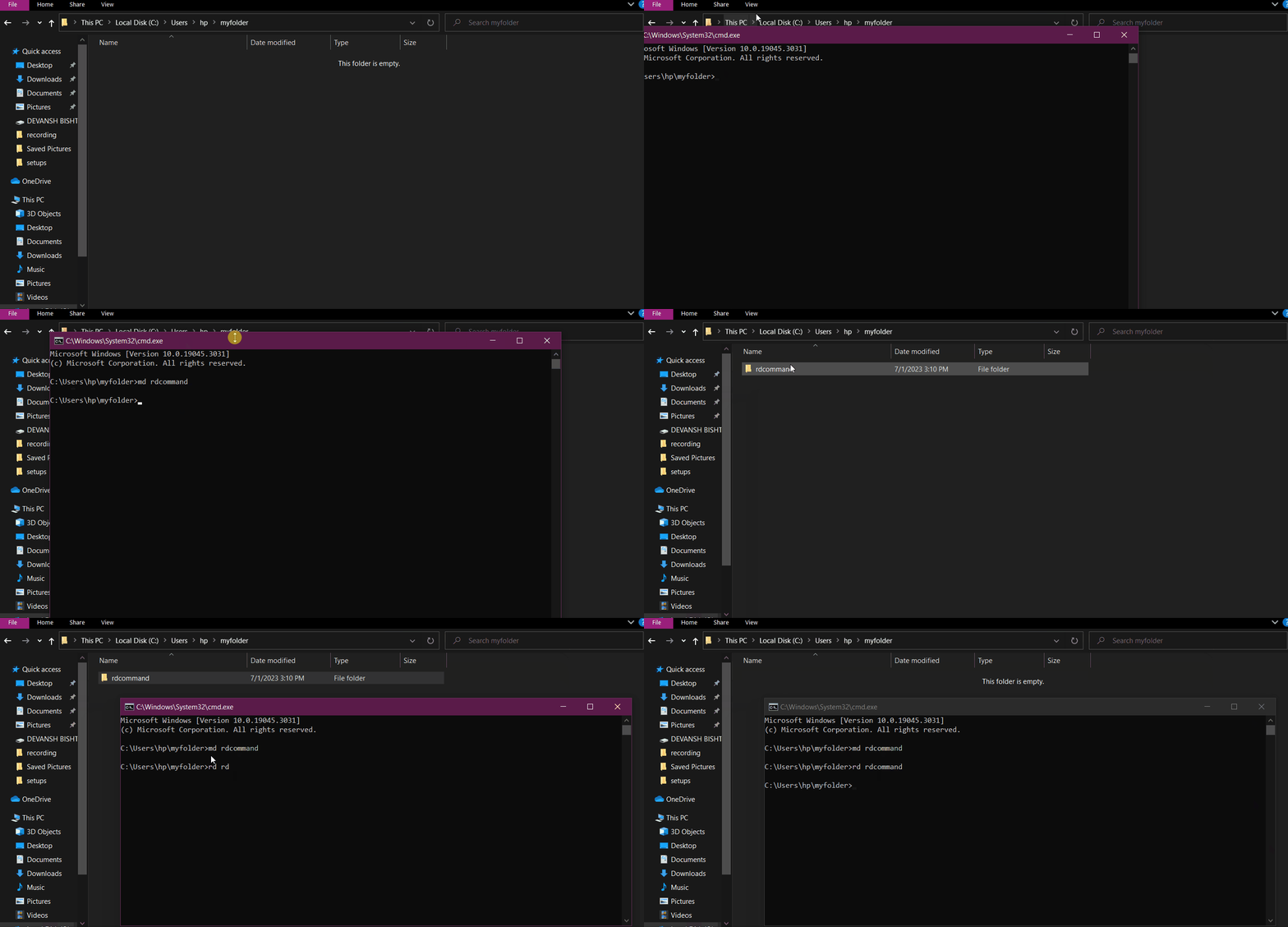
Efficient Directory Deletion with the RD Command in Command Prompt
Command Prompt (CMD) offers a range of commands to manage...
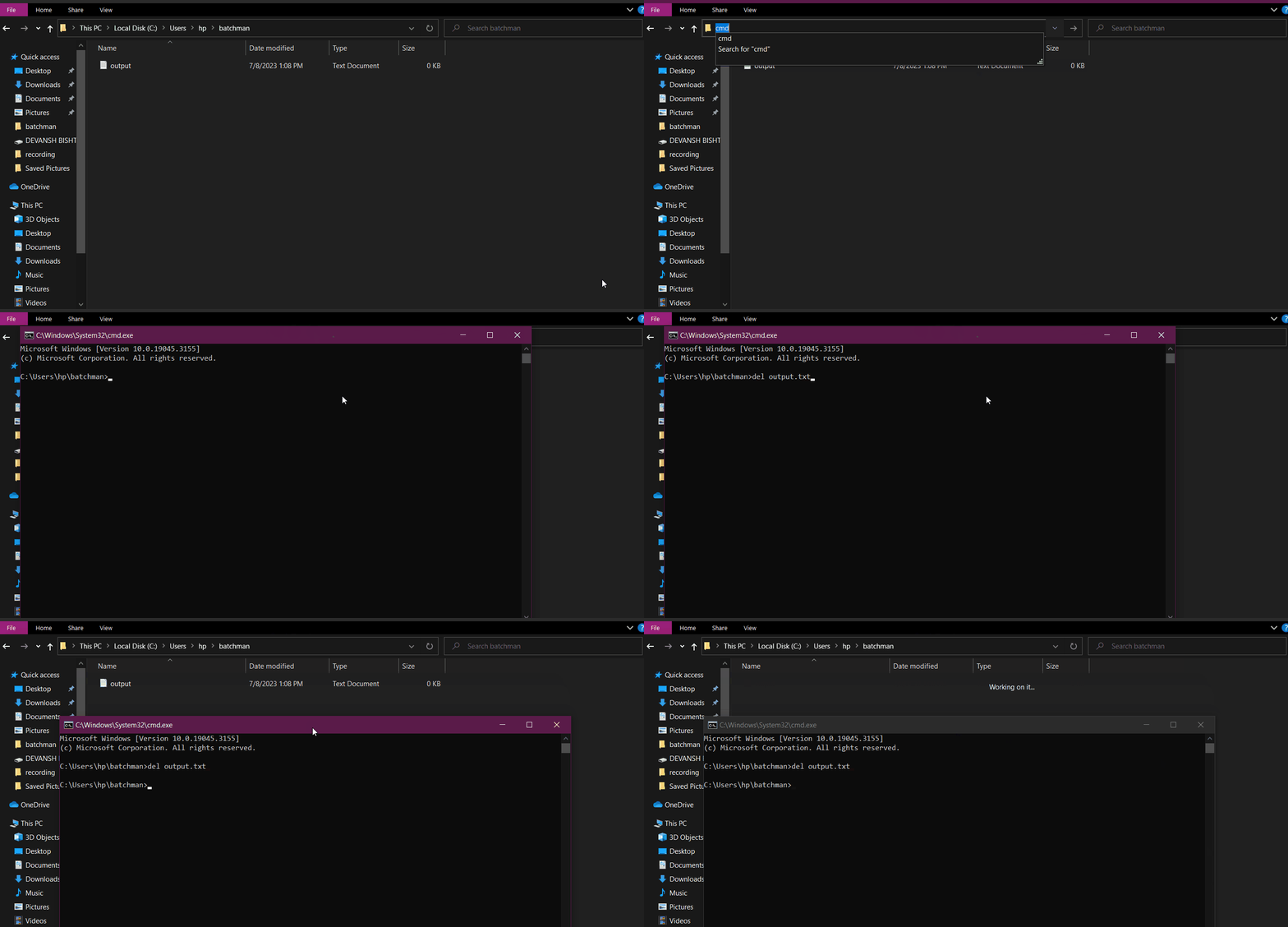
Mastering File Deletion with the Delete Command in Command Prompt
Efficient file management is vital for maintaining an organized and...
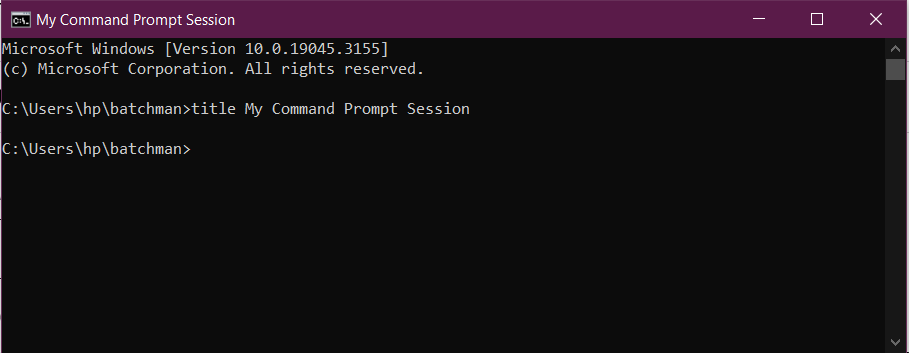
Taking Control of Your Command Prompt: Title Command
Welcome to the world of command-line interfaces! The Windows Command...

Gecho 2.0: The Ultimate Batch Plugin for Customizing Text in CMD
Command Prompt, also known as CMD, is a powerful tool...
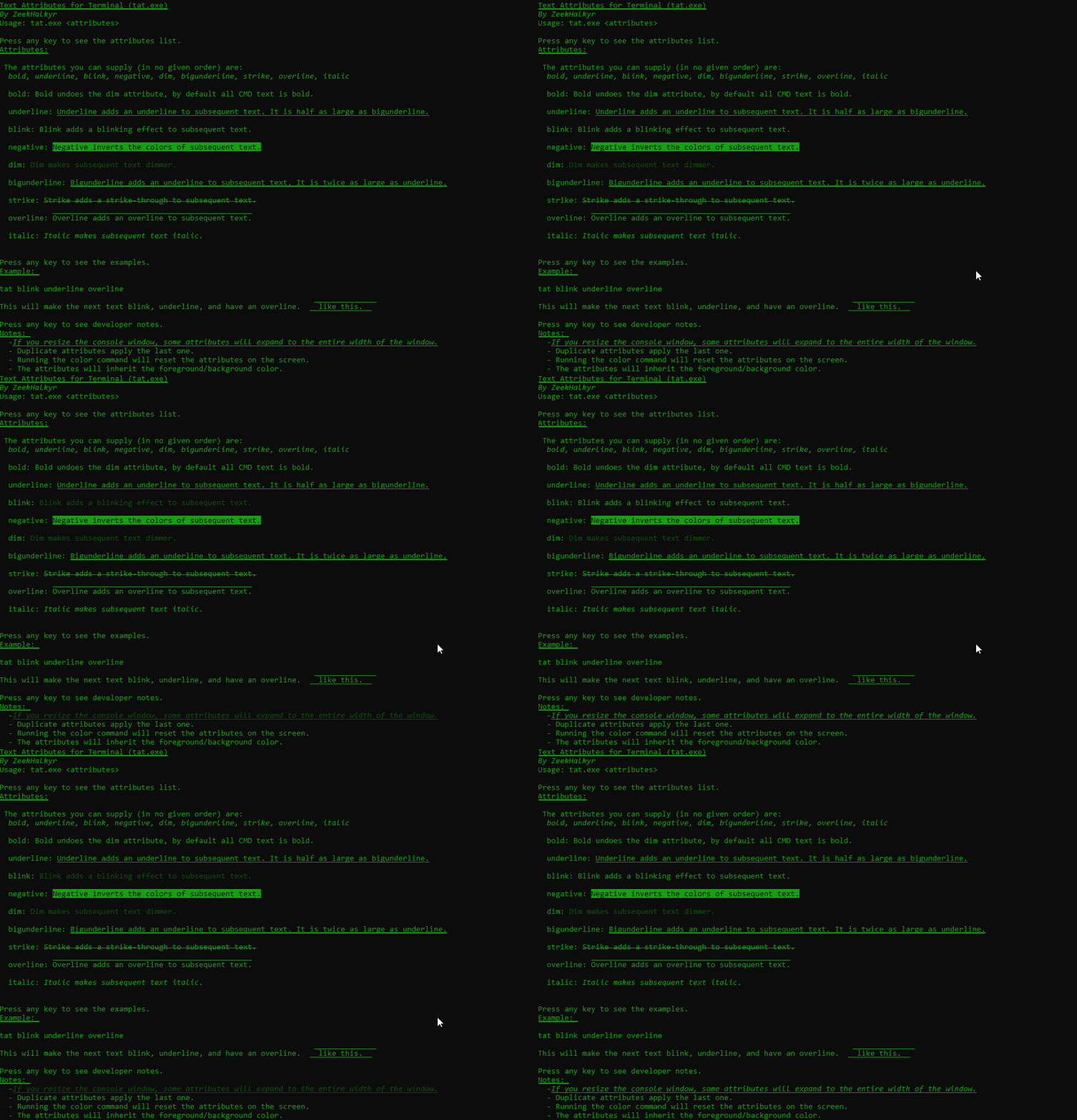
Add attributes to text-Tat plugin by Zeek
In CMD, we do not have any default option to...
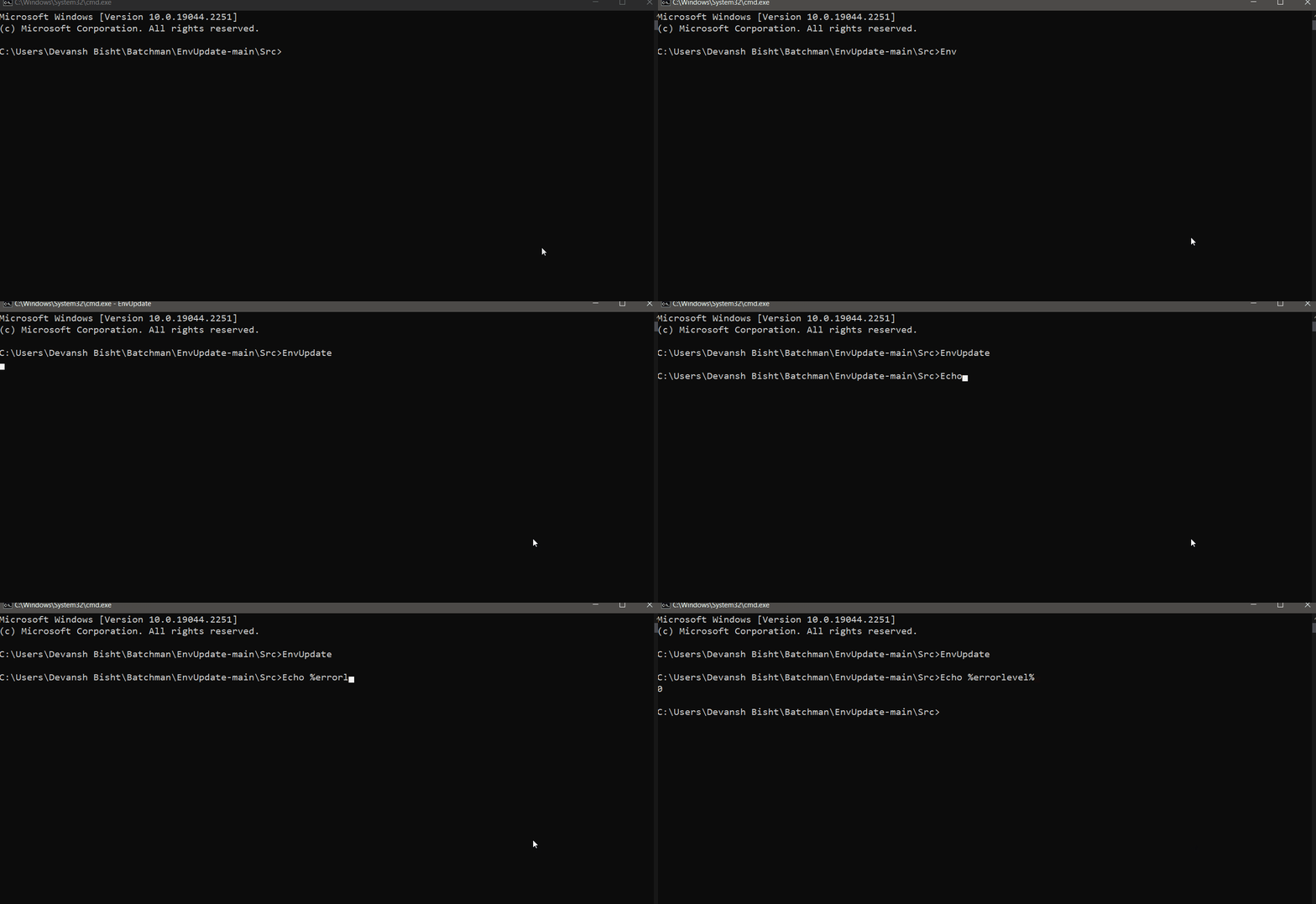
Update environment settings without rebooting-EnvUpdate by anic17
This article was about the plugin EnvUpdate, which is used to update environment settings without rebooting or logging off. This plugin will be very helpful in saving time by not rebooting the entire system and instead just running a command in CMD.